Desktop terminology
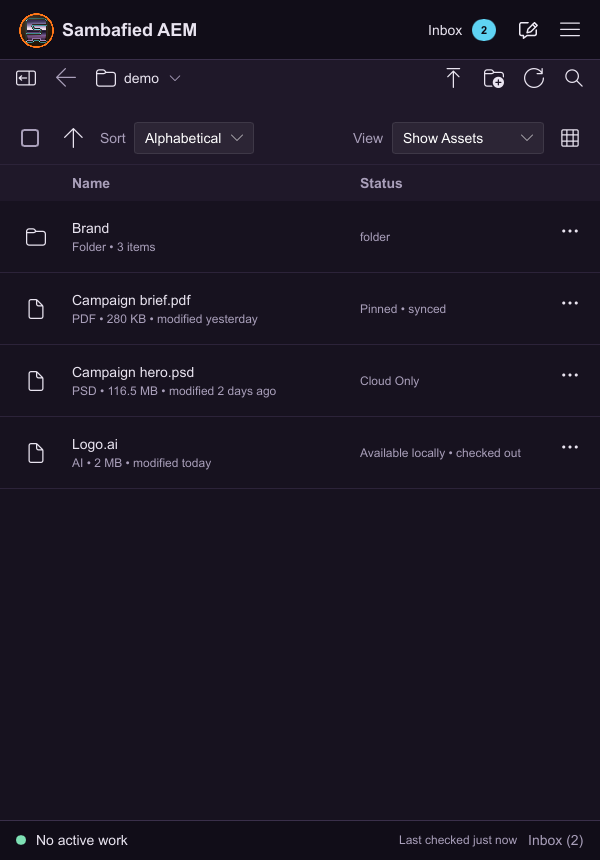
Illustrative sample. The asset list distinguishes cloud-only and locally available files.
| Term | Meaning |
|---|---|
| Connection | A named server, DAM root, account and work folder. |
| Author server | The AEM address supplied for managing assets. |
| Original | The full asset file, as distinct from a thumbnail. |
| Work folder | The managed Windows location for accessing originals. |
| Cloud-only | Visible in the folder, but its original still needs downloading. |
| Available locally | The original has downloaded to this PC. |
| Pinned | Requested to remain offline; check download progress for completion. |
| Edited locally | Saved changes on this PC that may still need uploading. |
| Upload Changes | Send a reviewed saved copy to the server. |
| Processing | Server work after transfer, which can finish later. |
| Checkout | A server reservation or ownership signal; enforcement varies. |
| Check-in | Release checkout where supported; separate from upload. |
| Conflict | Local and server changes need comparison before replacement. |
| Unknown result | The server outcome needs checking before retrying. |
| Collection | A group of existing assets, not separate copies. |
| Alias | Another view of the same asset, including through a collection. |
| Display title | A label, distinct from filename and folder location. |
| Exported copy | Independent local data outside the managed upload workflow. |
| Recovery copy | Data retained to protect local work during replacement or repair. |
| Saved and effective settings | The preference you saved and the value currently applied. |
Read moving from Adobe desktop app for practical differences.