Desktop task index
Guide home · Find a task Choose a task below. A help topic does not mean the feature is available on every server or in every build. Read the availability note in the linked topic.
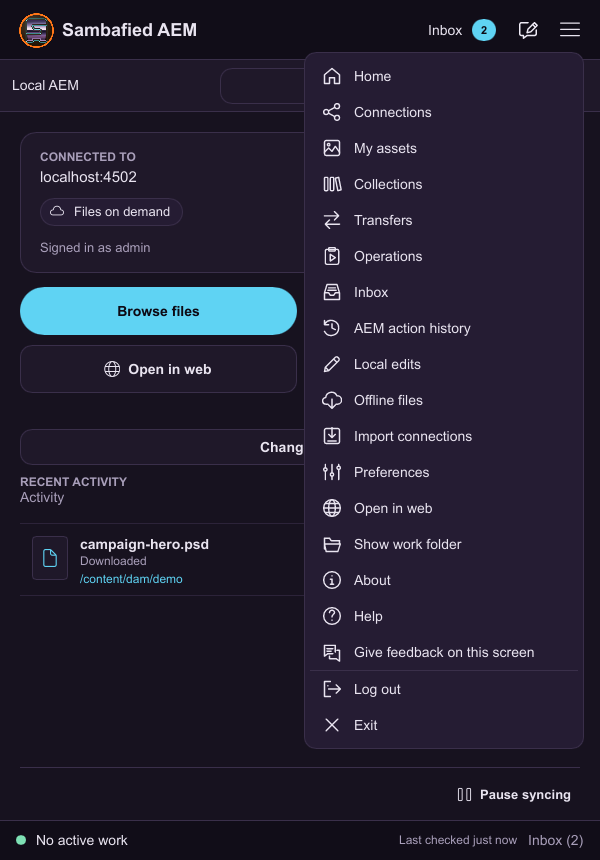
Illustrative sample. Use the application menu to find assets, transfers, offline files and settings.
| Task | Instructions |
|---|---|
| Manage named connections | Read the steps |
| Sign in and remember a session | Read the steps |
| Reconnect, expire, sign out and switch accounts | Read the steps |
| Browse folders and change views | Read the steps |
| Search and sort | Read the steps |
| Select and act on multiple assets | Read the steps |
| Preview an asset | Read the steps |
| Open and Open With | Read the steps |
| Edit, save locally and publish deliberately | Read the steps |
| Reveal the right folder | Read the steps |
| Drag assets in or out | Read the steps |
| Add new files | Read the steps |
| Upload a folder hierarchy | Read the steps |
| Upload saved changes and inspect versions | Read the steps |
| Resolve an existing-name collision | Read the steps |
| Monitor transfers, retry and cancel | Read the steps |
| Work offline and inspect local state | Read the steps |
| Keep originals offline with pins | Read the steps |
| Manage storage safely | Read the steps |
| Discard local changes with recovery | Read the steps |
| Resolve a conflict or remote change | Read the steps |
| Browse and download collections | Read the steps |
| Understand collection aliases | Read the steps |
| Change a display title | Read the steps |
| Edit metadata | Read the steps |
| Create a folder and inspect properties | Read the steps |
| Apply or remove a folder schema | Read the steps |
| Copy or duplicate an asset | Read the steps |
| Move or rename a filename | Read the steps |
| Delete remote assets or folders | Read the steps |
| Check out or check in separately | Read the steps |
| Use related assets and linked documents | Read the steps |
| Export or download a copy | Read the steps |
| Open in Web and receive web requests | Read the steps |
| Change preferences deliberately | Read the steps |
| Use the window, tray, About and safe Quit | Read the steps |
| Install, upgrade and uninstall without losing work | Read the steps |
| Collect support information | Read the steps |
| Understand the Windows work folder | Read the steps |
| Protect saves and recover local work | Read the steps |