Home, tray, shutdown and application identity
Guide home · Find a task Use the brand image or Sambafied title to return Home. The menu offers destinations and application actions. Scroll to remaining commands when the window is short.
An offline demonstration can show a simulated tray panel. That panel is part of the demonstration and does not control a real Windows notification-area icon. Installed tray, restart and shutdown behavior is still being checked.
About and notices
About identifies the build and displays Copyright Sambafied. Select Manage licence to activate, refresh or deactivate your Sambafied licence. Third-party components retain their own notices. Include the version/build when reporting an issue.
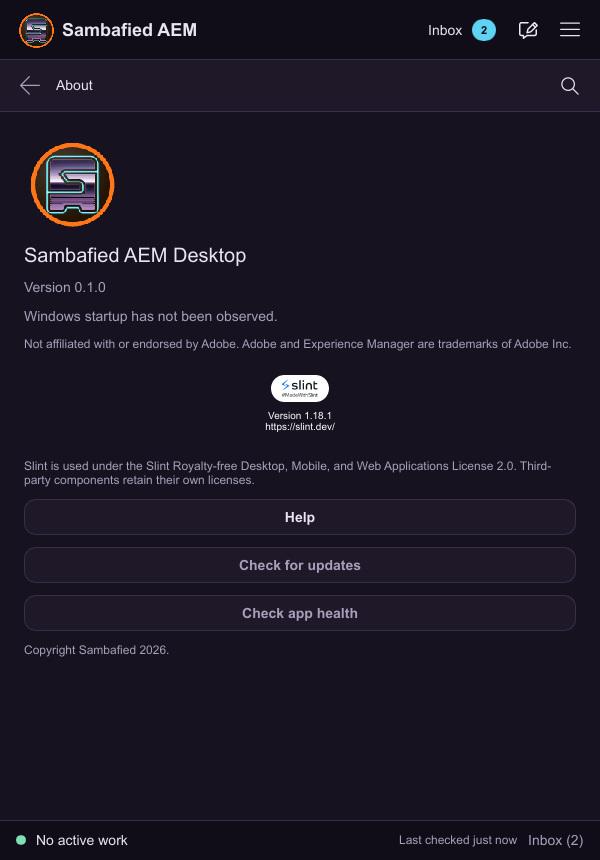
Illustrative sample. About shows the app identity and controls for help and health checks.
Use the window, tray, About and safe Quit
Inspect local work and transfers before quitting.
- Use the brand image or title to return Home.
- Use the menu to navigate; scroll in a small window if necessary.
- Minimize to use the taskbar. Closing follows the close-to-tray setting where supported.
- Choose Quit or Exit to stop the app and review pending work. Open About for version and notices.
Closing the window and stopping background work differ. Installed tray and shutdown behavior is still being checked.
If quitting is refused or work is uncertain, keep the window open and inspect Operations. A sample tray panel does not control a Windows tray icon.
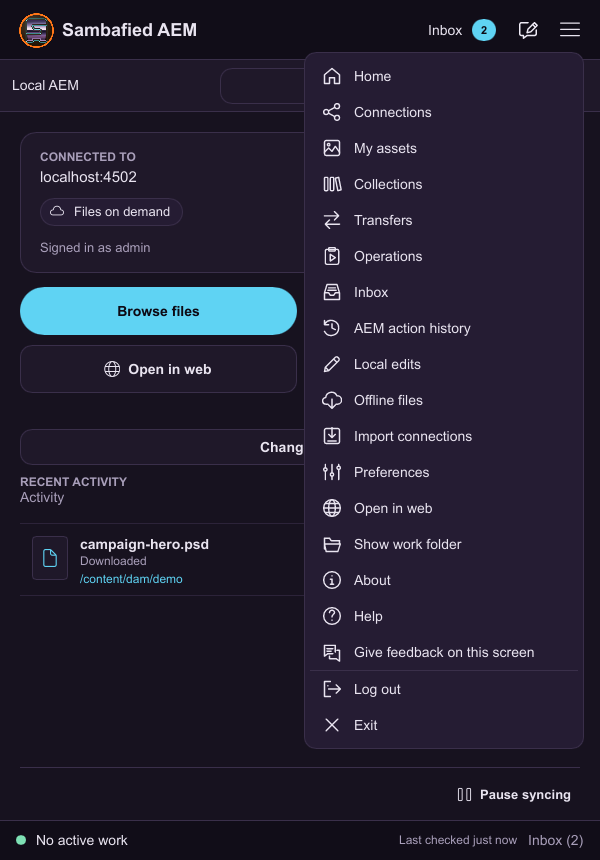
Illustrative sample. The application menu shows the main destinations.
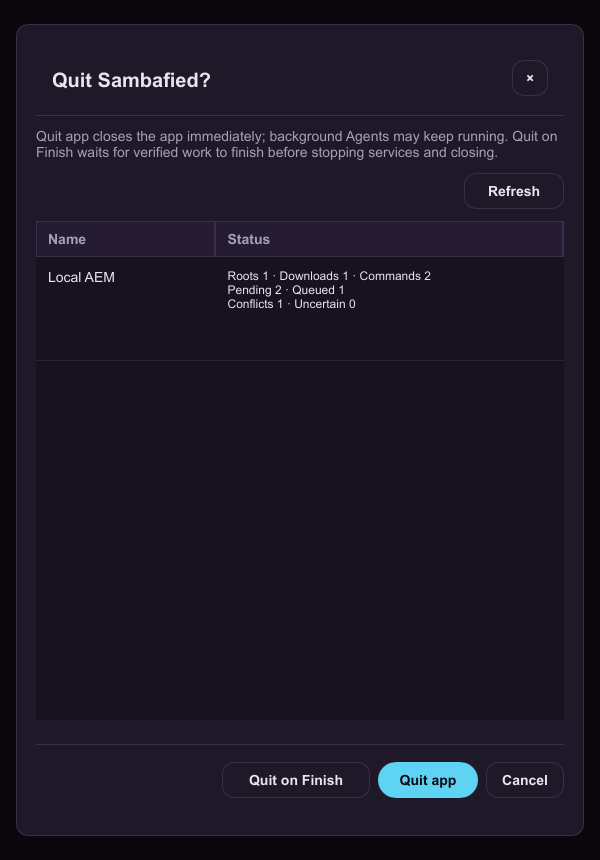
Illustrative sample. The Quit review lists pending work and offers Quit on Finish.
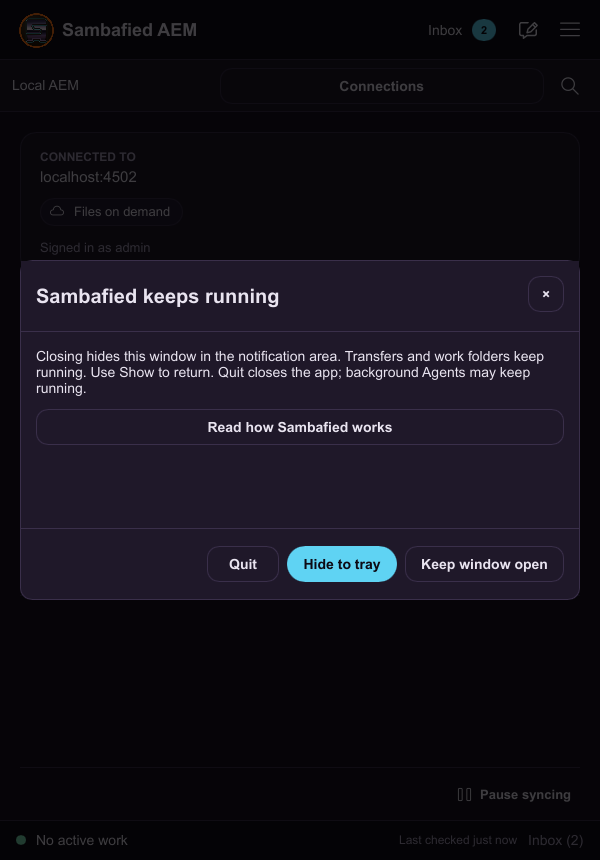
Illustrative sample. The in-app close review explains hiding the window to the tray.