Collections and original assets
Guide home · Find a task Collections group existing DAM assets. They do not create separate editing histories or independent copies. Browsing collections does not imply permission to change their membership.
Collections are planned and are not available in the current connected client. Use My assets for current browsing. The following steps describe the intended flow for a future build that provides Collections. Ask your administrator about required server support; do not install additional server components yourself.
Browse and download collections
These steps are conditional on a future build providing Collections. Live AEM collection behavior has not yet been verified.
- Open Collections and refresh the list.
- Open a collection and check whether all members loaded.
- Browse members and review any download, including subfolders and related files.
- Inspect individual missing or denied items in Transfers.
A collection groups existing assets. An incomplete member list does not mean it is empty.
Cancel remaining downloads without deleting completed files. Ask your administrator about collection availability; do not install server components yourself.
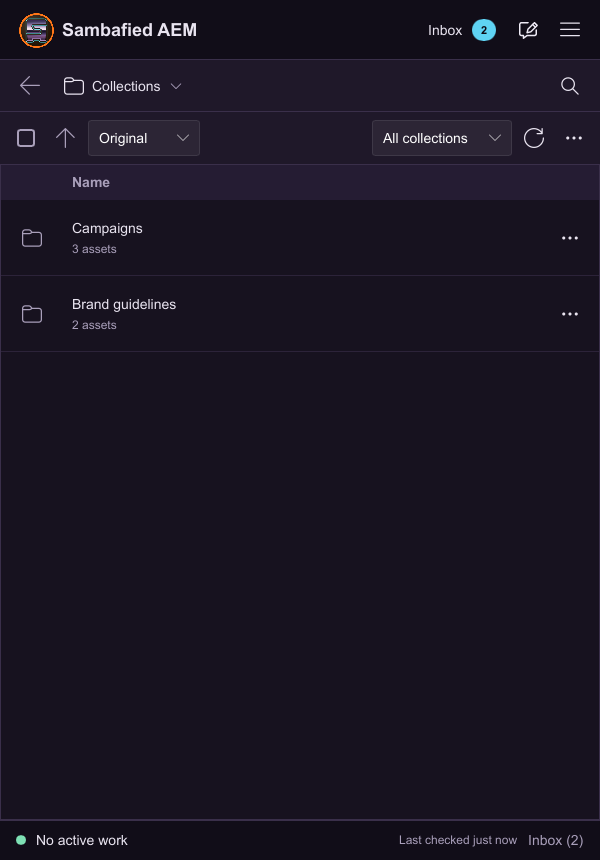
Illustrative sample. Controls may differ in your build; this image does not verify the complete task or its result.
Understand collection aliases
The same asset can appear in several collections and My assets. Shared editing behavior is still being checked.
- Open asset details and check its server location.
- Inspect local status before editing or downloading another copy.
- When accessing it through another collection, check that the same local work and checkout state appear.
Collection membership does not create a separate asset or editing history. Removing membership differs from deleting the asset.
If views disagree, refresh and preserve existing local edits. Do not create another working copy to hide the inconsistency.

Illustrative sample. Controls may differ in your build; this image does not verify the complete task or its result.