AEM web handoff and links
Guide home · Find a task Open in Web uses the configured Author server for the selected asset. Adobe Desktop Action links do not automatically launch Sambafied.
Browser integration availability
A supported browser-to-desktop setup recipe is still being prepared. Application registration, server buttons, supported actions and browser prompts require separate administrator setup. Do not replace Adobe's registered handler.
Open in Web and receive web requests
Open in Web uses the configured Author server. Incoming browser integration has no supported setup recipe yet.
- Choose Open in Web or Copy AEM link for an asset, when available.
- Check the intended server and asset.
- If an incoming-request review appears, inspect the website, connection, account and asset before accepting.
- Sign in explicitly when asked and confirm writes separately.
Adobe Desktop Action links do not automatically target Sambafied.
Reject unexpected actions or destinations. Cancel if you cannot confirm the source; do not switch the request to an unrelated account.
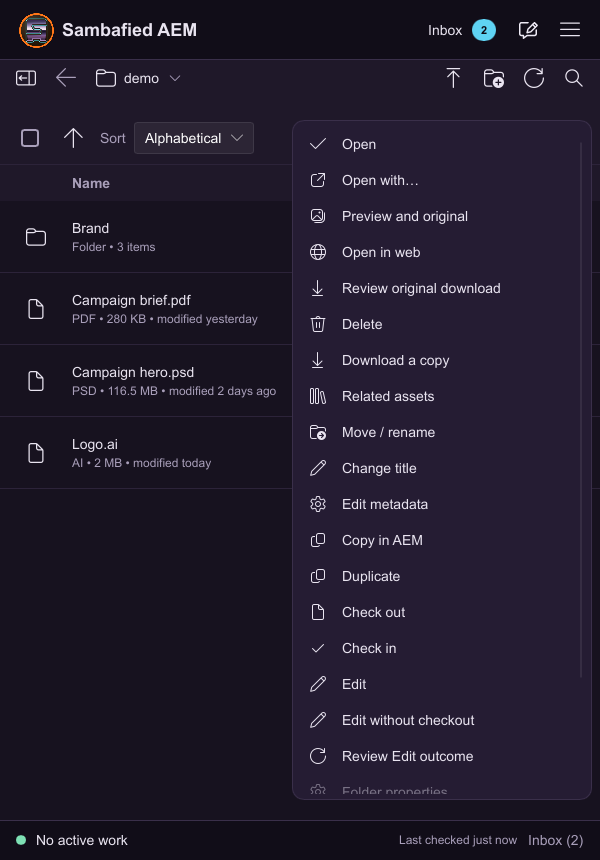
Illustrative sample. The asset menu offers Open in web for the selected file.
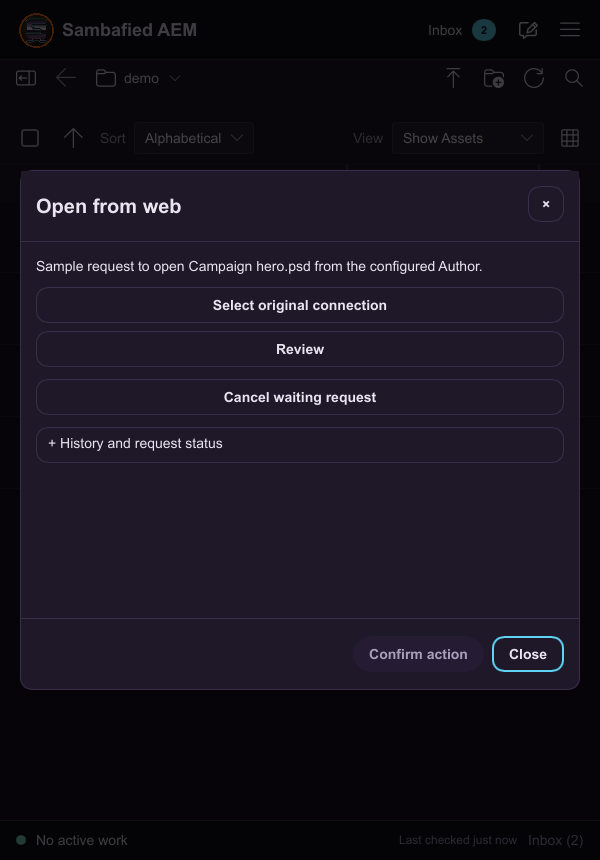
Illustrative sample. Open from web shows the requested asset and lets you review the original connection.