Local availability, pins and reconnecting
Guide home · Find a task Download originals and linked files while online before disconnecting. A thumbnail or filename does not guarantee offline access.
| State | What it means |
|---|---|
| Cloud-only | Download the original while online. |
| Available locally | The original is on this PC; cleanup may reclaim eligible clean copies. |
| Pinned or pending | Retention was requested; check download completion. |
| Edited locally | Saved changes may still need uploading. |
| Queued or uploading | Inspect progress for the selected saved copy. |
| Uploaded or processing | Transfer and server processing may finish separately. |
| Conflict | Compare local and server versions before replacement. |
| Unknown or detached | Check the connection, account and result before acting. |
Optional automatic uploads
If offered, automatic upload requires explicit opt-in for the connection. Check its policy and paused work before relying on it. Saving or pinning alone is not confirmation that a file uploaded.
Work offline and inspect local state
Download the originals and linked files you need while online.
- Inspect local availability for each required asset.
- While offline, open only files whose originals are available on this PC.
- Save normally.
- Reconnect to the original connection and account before reviewing uploads.
A visible cloud-only file is unavailable offline. Local edits remain separate from uploaded changes.
If the account or server copy is uncertain, preserve local work and resolve the connection before refreshing or uploading.
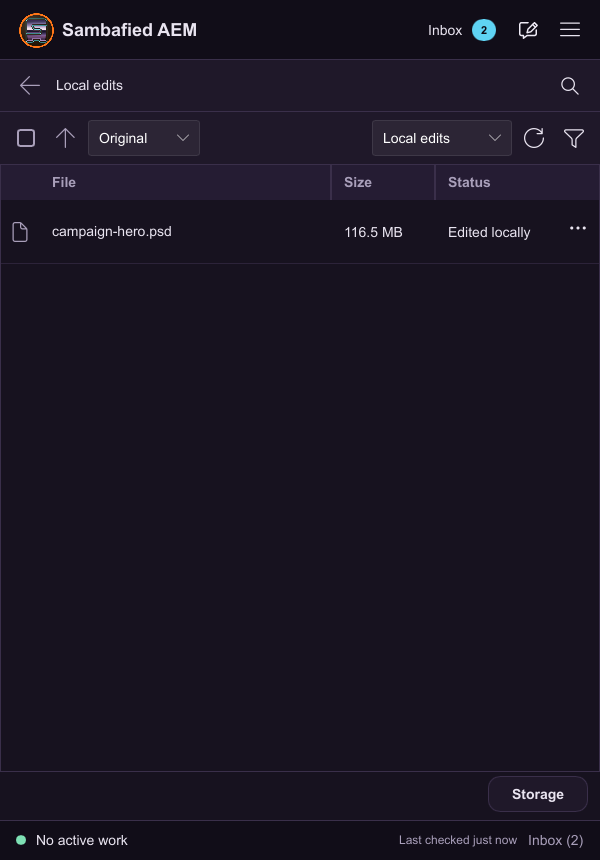
Illustrative sample. Controls may differ in your build; this image does not verify the complete task or its result.
Keep originals offline with pins
Have enough disk space for the selected files and related assets.
- Select assets or a folder and choose Pin or Keep originals offline, when available.
- Review files, estimated space and related-file options.
- Wait for downloads and inspect partial or denied items.
- Unpin when you no longer need local retention.
Pinning requests retention; only completed downloads are available offline. Unpinning does not delete the server asset or local edits.
If space is insufficient, reduce the selection. Do not clear unuploaded edits to make room.
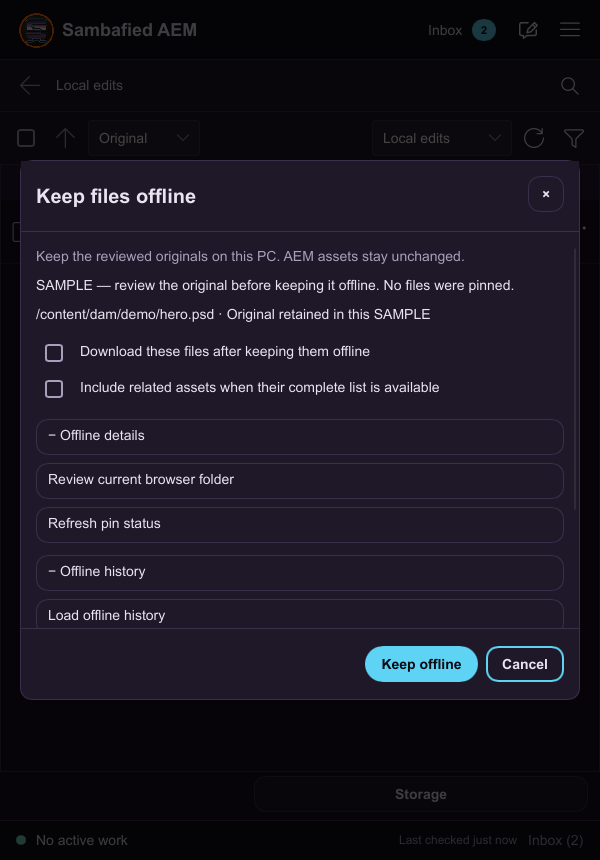
Illustrative sample. Review which original to keep offline before confirming.